Your knowledge. Better conversations. AI gets you started.
Give Whynk your business knowledge and audience. AI prepares campaigns and replies. Review, send and follow up in one workspace.
No account needed. Watch the walkthroughs or try Whynk with example data.
In development for the pilotPrepare a campaign proposal
Choose lists and an offer. Ask AI for a sequence, refine the copy and keep each version. You start sending.
From knowledge to a personal opening.
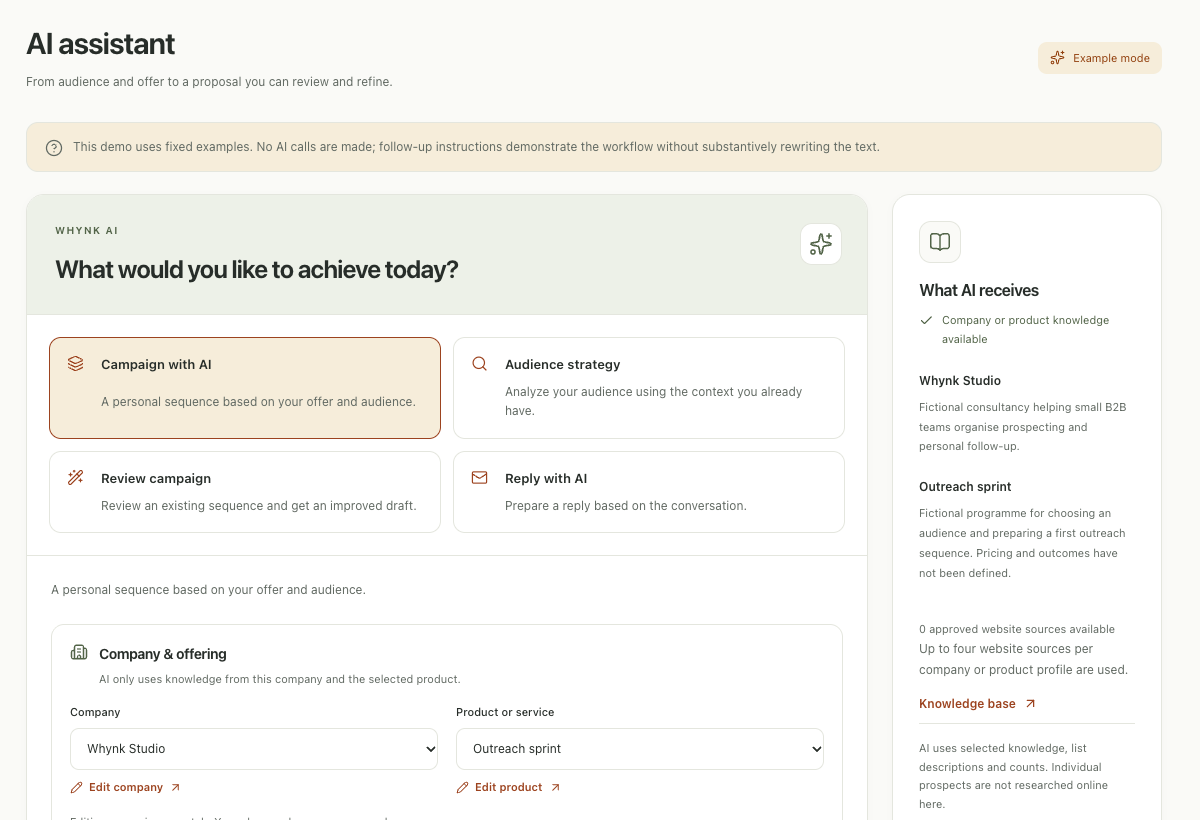
AI works with your selected business, offer and lists. See the context, refine the proposal and save it as a draft.
AI throughout your working day.
From an initial idea to the next reply. Your context stays with the work you do.
Teach AI about your offer
Save company and product knowledge, import website sources and review them before AI uses them.
Prepare a campaign proposal
Choose lists and an offer. Ask AI for a sequence, refine the copy and keep each version. You start sending.
Give every reply attention
Review intent, check the reply draft and plan a task or meeting. A received reply stops campaign follow-ups for that contact.
Your mailbox and data stay connected.
Whynk has connectors for Gmail, Microsoft 365, Hunter and HubSpot. Real accounts require configuration and validation; the demo uses examples.
Good to know before you start
Does AI send messages by itself?
AI creates proposals. You review and save them, choose a sender and schedule, then start the campaign separately. An AI request does not activate sending.
Which mail server is used?
Your connected Gmail or Microsoft mailbox sends through the official API. Whynk manages scheduling and limits. Google sign-in alone does not grant mailbox access.
Are purchased contact details included?
Lead data uses your own Hunter account. Review the maximum usage before confirming retrieval. Provider charges are separate from your Whynk subscription.
Start with your first proposal.
Explore the workspace with examples or prepare your own context.
Watch the demoCreate your workspace